Videos and QR Codes in the Library
YouTube Videos
from BBMSMEDIA
Bring Them Back Overdue Library Book Parody
This video is most helpful because it is engaging students, makes learning memorable,
fosters emotional connections, reinforces positive behavior, encourages
creativity and critical thinking, and promotes collaboration and communication
skills.
Luke Skywalker Has Overdue Books
The appeal of a Star Wars parody video for returning overdue books can effectively engage students, ignite their enthusiasm, generate laughter, and make the topic of book returns more entertaining and memorable
from PikesVilleHSLibrary
AVID Pimp My Binder 2012
The video offers relatability, practical tips, visual demonstrations, peer influence, increased engagement, and opportunities for collaboration and empowerment. These aspects make the video helpful and impactful for other students, encouraging them to develop effective organizational habits.
Senior Party in Library
The video fosters an emotional connection, celebrates shared
memories, showcases library spaces, inspires creativity, offers engaging
visuals and storytelling, builds a sense of community, and influences
aspirations. It creates a positive and inclusive environment that encourages
students to cherish their time in the school library and make the most of their
own school experiences.
How can I use YouTube Videos to promote the library?
By leveraging YouTube videos, I am able to reach a broader audience, increase awareness of library resources and services, and create a dynamic and interactive promotional strategy for the library. Here are a few things that can be done with YouTube videos to promote the library:
- Create visually appealing videos: Use video editing software or online platforms to create professional-looking videos. Incorporate images, text overlays, and music to enhance the visual appeal. Ensure the videos are clear, well-lit, and have good audio quality.
- Example:
- Showcase library resources: Feature different sections of the library in your videos, such as the bookshelves, reading areas, or technology stations. Highlight specific books, eBooks, audiobooks, databases, or other resources available to students and explain their benefits and relevance.
- Example:
- Provide tutorials and demos: Create videos that demonstrate how to use library tools or access resources. For example, you can showcase how to search the library catalog, navigate the library website, utilize research databases, or use citation tools. Make the tutorials user-friendly and easy to follow.
- Example:
- Incorporate student testimonials: Interview students or ask them to provide short testimonials about their positive experiences with the library. This adds credibility and demonstrates the value the library brings to the student community.
- Example:
- Promote library events: Create videos to advertise upcoming library events, such as book fairs, author visits, or reading challenges. Include captivating visuals and provide information on dates, times, and how students can participate.
- Example:
QR Codes
Using QR Codes to Share Book Trailers:
Book Trailer for:
FELIX EVER AFTER by Kacen Callender

But as he navigates his complicated feelings, Felix begins a journey of questioning and self-discovery that helps redefine his most important relationship: how he feels about himself."
Watch the Book Trailer using these QR Codes!
.jpg)

How can I use QR Codes to promote the library?
QR codes can be an effective tool for a school librarian to promote the library and engage students. Here are a few ways in which we can use QR Codes:
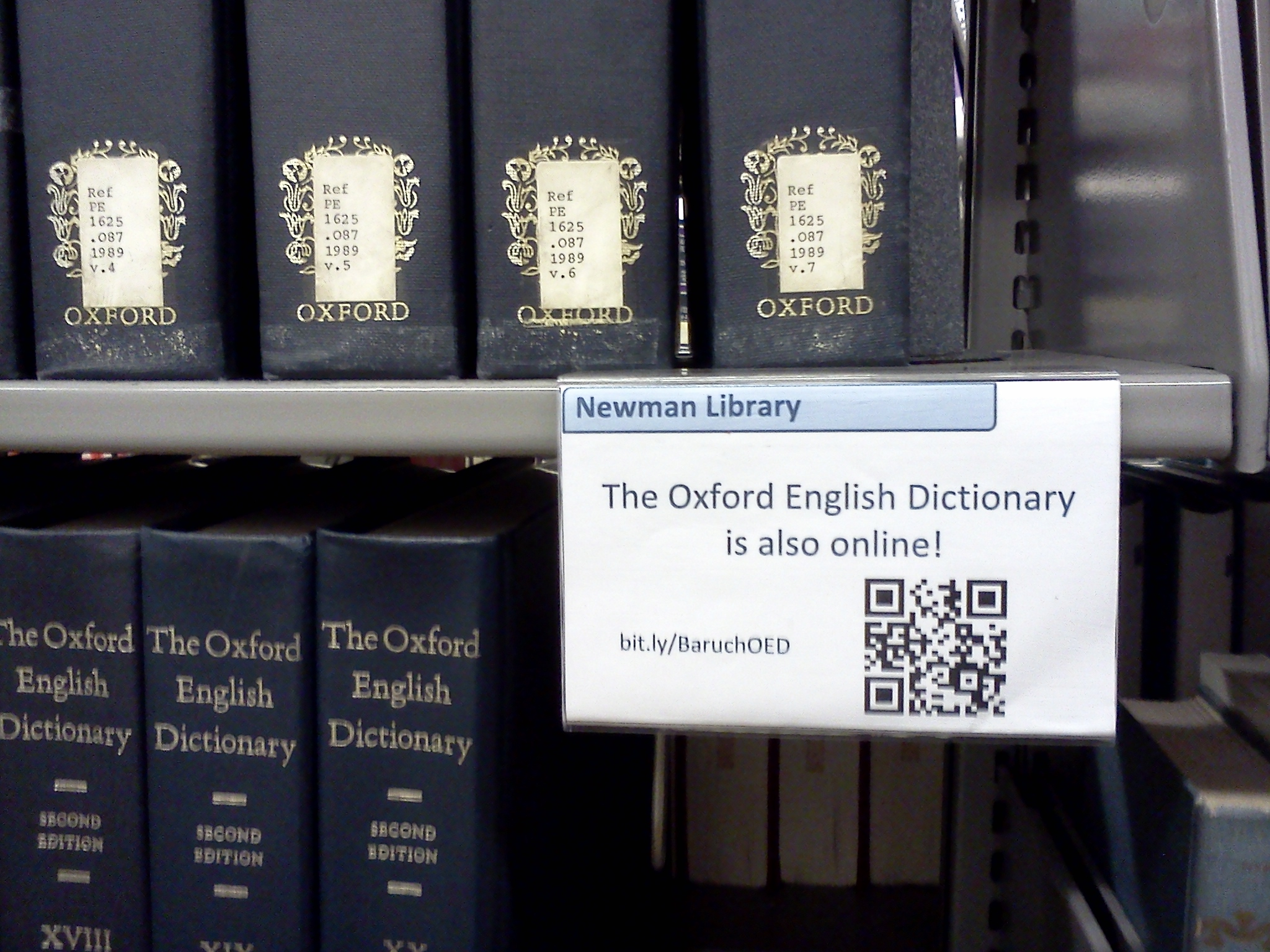
- Book Recommendations: Create QR codes that link to book trailers, author interviews, or reviews related to popular books in the library. Place these codes on book displays or shelves to provide additional information and entice students to check out those books.
- Example: link

- Digital Bookshelf: Generate QR codes that link to curated lists of eBooks, audiobooks, or digital resources available through the library. Place these codes on posters or flyers around the school, allowing students to easily access and explore the digital collection.
- Example: link

- Virtual Library Tour: Develop a QR code that leads students to a virtual library tour video. This can showcase different sections of the library, highlight key features, and provide an overview of available resources and services.
- Example: link

- Library Website and Catalog Access: Create QR codes that directly link to the library's website or online catalog. Place these codes on posters, bookmarks, or library signage to facilitate quick access for students who want to explore the library's digital resources or search for books.
- Example: link

- Interactive Scavenger Hunts: Design QR code-based scavenger hunts that encourage students to explore the library. Create a series of clues or questions, with each clue leading to a different QR code. Students can scan the codes to find the answers and progress through the scavenger hunt, promoting engagement and familiarity with the library's physical space.
- Example: link

- Library Event Promotion: Generate QR codes for upcoming library events or activities. Include these codes on event posters, flyers, or handouts to provide additional details, registration links, or access to event-related resources.
- Example: link
- Student Showcase: Encourage students to create book reviews, book talks, or digital projects related to the library. Generate QR codes that link to these student-created content and display them prominently in the library. This allows students to share their work with others and fosters a sense of community.
- Example: link
- Library Feedback: Create a QR code that links to a feedback form or survey for students to provide input on library services, resources, or suggestions for improvement. Place this code strategically, such as on library exit signs or near library computers, to encourage students to share their thoughts.
- Example: link
- QR Code Scanning Stations: Set up designated QR code scanning stations in the library where students can use their own devices or library-provided devices to scan codes and access various resources. Provide instructions and a variety of QR codes related to different library offerings.
- Example: link


Hello Trinidad,
ReplyDeleteI really enjoyed reading your blog post. To start off, I also loved that Frozen "Let it Go" prosody. I think this is a great way to get our students attention. Your book trailer was very interactive and interesting, I certainly think this will attract students to read that book. You did a great job in actually putting YouTube videos that will help promote literacy in the classroom. Thank you for these videos and great points!
-Amanda Arrambide
Trini, I LOVED the videos you found for returning books! Both were so cute and engaging!
ReplyDeleteWow! Youu had some great uses for QR codes in the library! I need to figure out how to follow you because I will never remember all the ideas you shared! Amazing job!
ReplyDeleteI can't believe I missed the Frozen parody for overdue books! That was fantastic, and I agree with your comments, it was very engaging. I also loved the "Pimp my Binder" episode and found it very useful. I liked the fact that it was student led and showed positive peer relationships as well as providing useful, hands on information by demonstrating the process. Thank you for sharing! (MRitualo)
ReplyDelete